Home / Statistical Tools / Settings / Unified Menus Overview
Unified Menus Overview
All SigmaZone.com products (SPC XL, DOE KISS, DOE PRO, DFSS MASTER, Quantum XL) can show up on Excel's menu bar in two different ways: as individual menus, or grouped under the same unified menu labeled 'SigmaZone'. Using unified menus is recommended when there are two or more SigmaZone products running simultaneously.
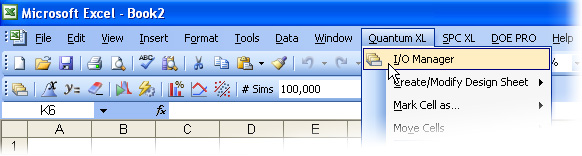
Running Quantum XL, SPC XL and DOE PRO XL simultaneously with unified menus OFF:
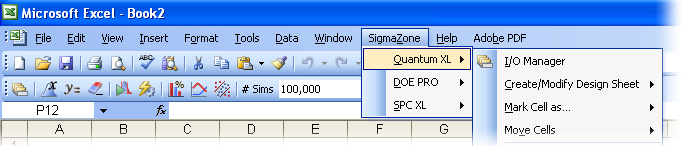
Running Quantum XL, DOE PRO XL and SPC XL simultaneously with unified menus ON:
Unified menus are turned off by default. Users can set unified menus on / off using the About box. Select

Quantum XL > About (Help), and click on the appropriate option button.