Home / Statistical Tools / QFD, FMEA, & Pugh / FMEA / Create And Modify / Remove Mode
Remove Mode
Steps to remove a failure mode from FMEA Matrix:
Step #1: Select a cell in a failure mode you want to remove.
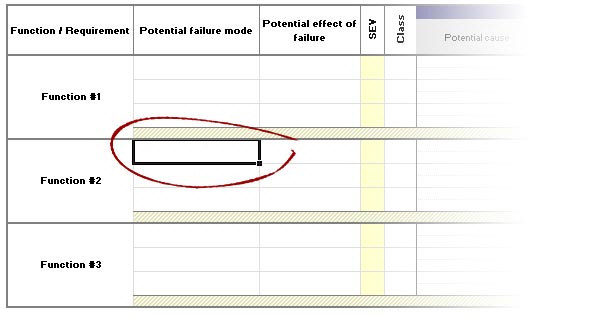
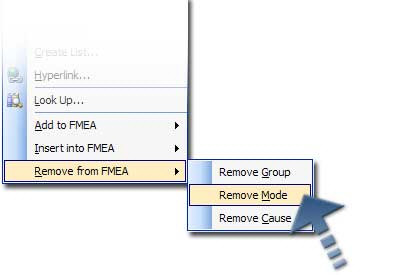
Step #2: Go to QXL Stat Tools Tab > FMEA > Remove > Failure Mode, or right click on selected cell and select Remove from FMEA > Remove Mode.
Data below the current failure mode will be shifted up.
Note
There must be at least one failure mode in each group in an FMEA matrix.