Home / Statistical Tools / Additional Tools / DSM / Design Structure Matrix (DSM)
Design Structure Matrix (DSM)
From Excel click...
QXL Stat Tools Tab > DSM > Create DSM
Design Structure Matrix is a compact matrix representation of a system. It is a square matrix that lists all system activities and dependencies between them.
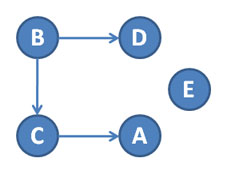
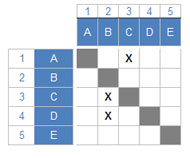
Below is the graph of 5 tasks, and the appropriate DSM matrix. Each 'X' in a DSM represents dependency between rows and columns. An 'X' means that row depends on the column. In other words, the activity listed in the column must be completed prior to starting the activity listed in the row.
Create DSM
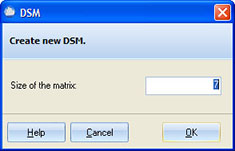
All you need to do to create a new DSM is to provide the matrix size. This will create a new DSM sheet.
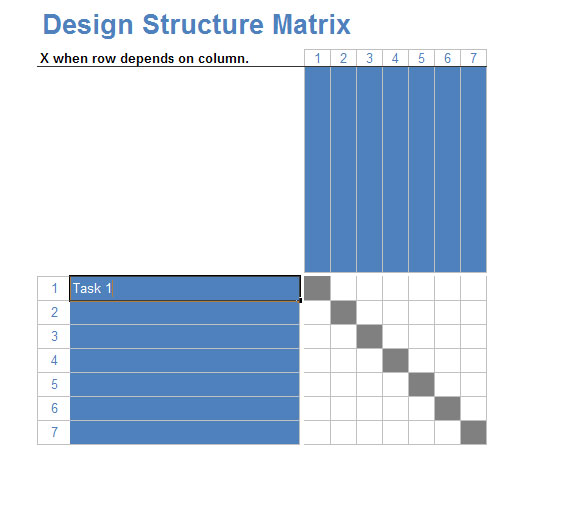
DSM Sheet
-
Enter task (activity) names in the rows. Columns will be filled automatically.
-
Fill the matrix. Enter 'X' when the activity in a row depends on information from the activity in a column. You can use DSM Navigator to more easily fill large matrices.
After you fill the matrix, you can partition DSM using: