Home / Monte Carlo / Additional Tools / Model Validation
Model Validation
From Excel click...
QXL Monte Carlo Tab > Create / Modify Design Sheet > Validate Model
Quantum XL uses a proprietary math engine to provide rapid Monte Carlo simulations.
To ensure that Quantum XL's calculations are the same as Excel's calculations, each time you run the model, a small number of simulations are run using both Excel and Quantum XL, and the results are compared. If Excel's calculation engine doesn't match the Quantum XL engine, Quantum XL will automatically switch to Native Mode. Otherwise, it will continue to run in Rocket Mode.
Since the Rocket mode is much faster than Native mode, it is a good practice to perform a model validation before running any Quantum XL feature.
Start:
'Quantum XL >Create / Modify Design Sheet > Validate Model';
Select the number of simulations to run and click the Run button. Quantum XL will run the required number of simulations in Rocket and Native modes and show the results. If the model contains expressions that are not recognized by Quantum XL's engine, or the results between Quantum XL's engine and Excel's engine do not match, you will see a warning that the model is not Rocket Mode Compatible.
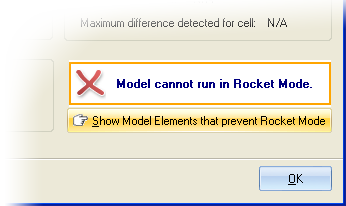
Click on button "Show Model Elements that prevent Rocket Mode" to bring up the miscompare dialog that will explain in detail which cells prevent Quantum XL from running in Rocket mode.
You can also try to adjust the sensitivity for validating numbers if the model cannot run in Rocket mode, and the reason for that is NOT a syntax error.