Home / Statistical Tools / QFD, FMEA, & Pugh / Pugh / Tutorial / Step 2 - Create Matrix
Step #2 -- Create the Pugh Matrix using Quantum XL
From Excel click...
QXL Stat Tools Tab > Pugh > Create Pugh Matrix
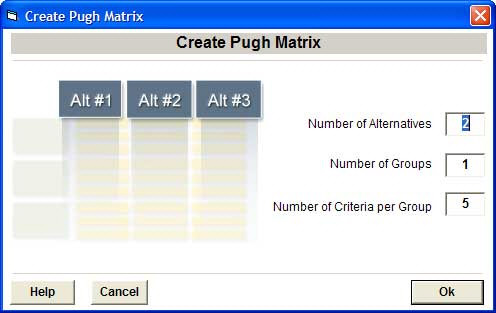
-
Number of Alternatives: We have a baseline and two alternatives, so enter 2.
-
Number of Groups: Enter a value of '3' for the three criteria groups -- Quality, Cost and Schedule.
-
Number of criteria: Enter a value of '4'.
-
Press Ok.
An empty Pugh Matrix will be generated and added to the current worksheet.
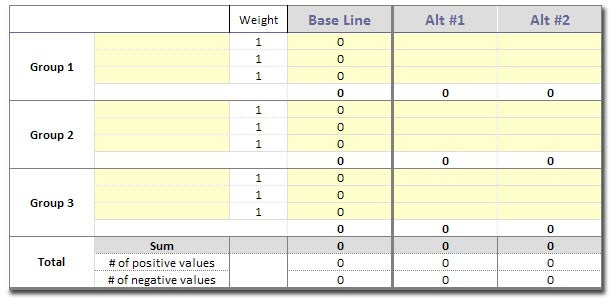
Next step: Step #3 -- Enter the decision criteria
Previous: Step #1 -- Determine the decision criteria and collect alternatives