Home / Statistical Tools / Distribution Fit/Calc / Distribution Calculator / Bernoulli Distribution
Bernoulli Distribution
Probability Calculator
From Excel click...
QXL Stat Tools Tab > Distribution Fit/Calc > Distribution Calculator > Bernoulli
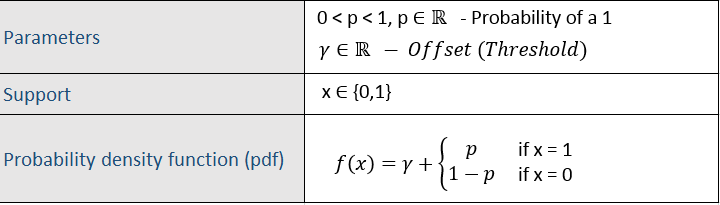
The Bernoulli distribution is a discrete probability distribution. The Bernoulli distribution has two parameters. p is the probability of a 1 and gamma is the offset. As a calculator, the Bernoulli distribution is not terribly useful; however, it is commonly used in Monte Carlo simulations when one of two events must occur with some probability.
Using the Calculator
Step 1
Enter the p, the probability of a 1. Optionally, enter the offset (threshold).
Step 2
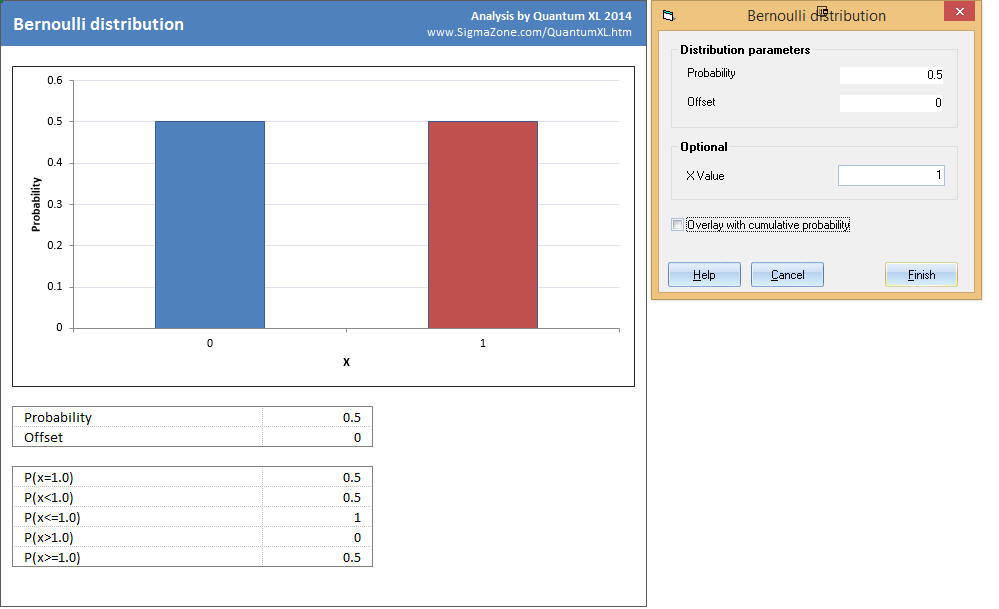
Quantum XL will plot the probability for every X from the lower to the upper.
If X was supplied:
-
The bar corresponding to X will be red.
-
At the bottom of the report, Quantum XL will provide the numeric results for X being less than, less than or equal to, greater than, greater than or equal to, and equal to.
Understanding the Results

A coin flip is a Bernoulli trial if we code one side (perhaps tails) to 0 and the other side (heads) to 1. The probability of a 1 (heads) is 50% so we enter .5 for the probability. If we're interested in the probability of the coin landing on a head, enter 1 for "X Value".
-
P(X=1) indicates that the probability of flipping a head is .5.
-
P(X<1) indicates that the probability of flipping less than 1 is .5.
-
P(X<=1) indicates that the probability of flipping a 0 or a 1 is 1.
-
P(X>1) indicates that the probability of flipping greater than 1 is 0; since there are only two sides (0 and 1) this isn't possible, so the probability is zero.
-
P(X>=1) indicates that the probability of flipping a 1 is .5.
Using the Offset
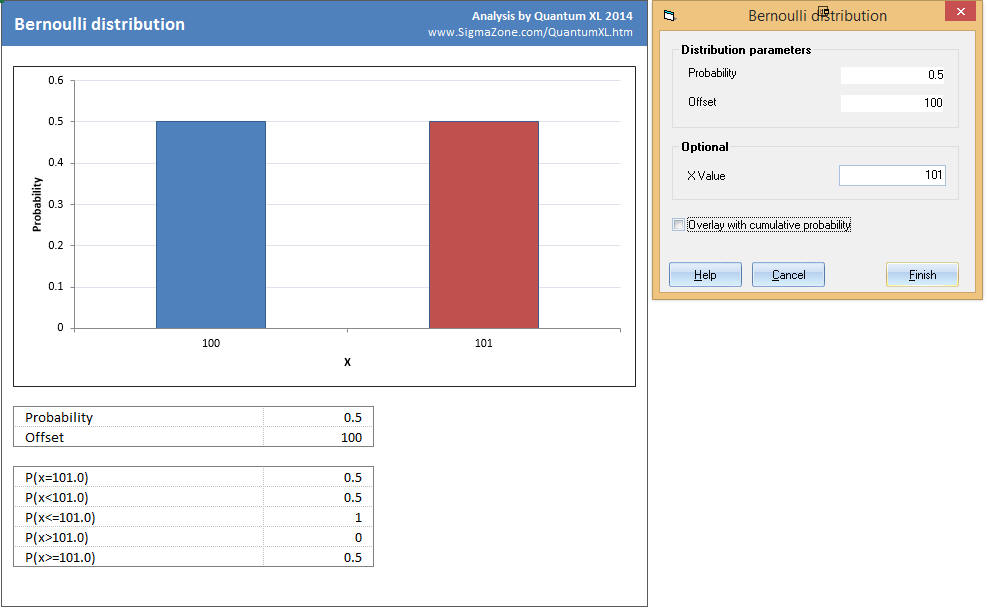
If for some reason we wanted to code the coin flips as 100 (tails)/101 (heads) instead of 0(tails)/1(heads) then we would enter an Offset=100. The entire distribution is now shifted to the right 100 units.